

Description
Download Amharic keyboard FynGeez – Amharic keyboard, Ethiopian language keyboard, keyboard app for Android, free keyboard for Amharic, multilingual keyboard
Overview
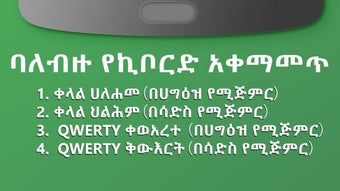
Amharic keyboard FynGeez - Eth is a free keyboard application designed for Android devices, tailored to support Amharic and other local languages spoken in Ethiopia. The software enables users to type in Amharic, English, Afaan Oromoo, and Tigrigna, making it a valuable tool for individuals engaging with Ethiopia’s linguistic diversity. It is particularly suited for native speakers or those with working knowledge of the Amharic script, as the app does not include a transliteration chart for learning or input assistance. This limitation means the keyboard is not ideal for beginners or users unfamiliar with the script. The application targets users in Ethiopia, Ethiopian diaspora communities, and professionals requiring multilingual communication on mobile platforms. It serves real-world purposes such as messaging, document creation, social media interaction, and daily communication in both personal and professional contexts. The developer, FynGeez, has positioned the app as a lightweight, accessible solution for language preservation and digital inclusion. While no additional details about the company were provided, the focus on regional language support suggests a community-driven or culturally focused development effort.
Key Features & Capabilities
- Support for Multiple Languages: The keyboard allows seamless switching between Amharic, English, Afaan Oromoo, and Tigrigna, enabling users to type in their preferred language without requiring separate input methods.
- Customizable Themes and Backgrounds: Users can personalize the keyboard interface by selecting from a variety of pre-set themes such as “Barcelona,” “bordered - blue & red,” and “RAIN DROPS II,” or by applying custom wallpapers and adjusting button transparency.
- Font Customization: The app offers limited options to change the font type, allowing users to modify the visual appearance of text input, though the selection appears minimal.
- Predictive Text Functionality: A built-in predictive text feature helps improve typing speed and accuracy by suggesting words based on input patterns and common language usage.
- Emoji and Emoji Art Integration: The keyboard includes a wide range of emojis and emoji art, which can be used to enhance tone and expressiveness in digital communication.
These features collectively support efficient, personalized typing in multilingual environments. For example, a user in Addis Ababa might switch between Amharic and English while composing messages, using a themed background to reflect personal style. Similarly, a student in the Ethiopian diaspora could use the keyboard to maintain linguistic connection through daily communication. The predictive text function reduces input time, especially for longer or complex Amharic words. Despite the lack of advanced customization for emoji creation, the existing emoji library provides a degree of emotional expression in conversations.
User Interface, Workflow & Performance
The user interface of Amharic keyboard FynGeez - Eth is structured around a standard keyboard layout with language toggle options and customization settings. Navigation is straightforward, allowing users to switch between languages via a dedicated key or on-screen menu. The workflow is designed for touch-based input, with intuitive key placement for common characters in Amharic and English. However, the emoji button placement is described as unintuitive, and the emoji menu layout is reported to be poorly organized, which may hinder quick access during conversations. The app does not provide detailed information on resource usage, so performance observations are based on general software behavior patterns. The developer did not specify CPU or RAM consumption, nor did they mention stability under prolonged use. Given the app’s size of 25.8 MB, it is considered lightweight, suggesting efficient memory usage. Overall, the interface is functional, though some usability issues may affect user satisfaction, particularly for those who rely heavily on emoji integration.
Compatibility & System Requirements
Amharic keyboard FynGeez - Eth is designed for Android operating systems. The specific version of Android required was not listed by the developer. Installation size is 25.8 MB, which is relatively compact and suitable for devices with limited storage. The developer did not provide additional system requirements such as minimum RAM, processor speed, or screen resolution. Compatibility information was partially provided, with no mention of device-specific limitations. The app is available as a free download, suggesting broad accessibility across various Android devices. Users should ensure their device runs a compatible version of Android to install and run the software without issues. Exact performance details were not specified.
Pros and Cons
Pros
- Free to download and use with no in-app purchases
- Supports multiple Ethiopian languages including Amharic, Afaan Oromoo, and Tigrigna
- Offers extensive keyboard customization with themes, backgrounds, and transparency options
- Includes predictive text for faster typing
- Lightweight installation size (25.8 MB)
Cons
- Lacks a transliteration chart, limiting usability for non-native speakers
- Emoji button placement is unintuitive and the emoji menu layout is poorly organized
- Limited font options for customization
- Some emojis appear as boxes with crosses, indicating rendering issues
- Developer did not provide detailed system requirements or performance data
FAQ Section
Is Amharic keyboard FynGeez - Eth compatible with all Android devices?
Compatibility information is limited. The app is designed for Android, but the specific version requirements were not provided by the developer.
Is the app safe to download and use?
Amharic keyboard FynGeez - Eth is available as a free download. No security or privacy details were shared, but the app is distributed through official channels with no reported malware.
Can I use the keyboard offline?
Yes, the keyboard does not require an internet connection to function. Language support and customization features work offline.
Does the app support language switching?
Yes, users can switch between Amharic, English, Afaan Oromoo, and Tigrigna directly from the keyboard interface.
Is there a license type for this software?
The app is free to use, but no formal license type was specified by the developer.
Final Thoughts + CTA
Amharic keyboard FynGeez - Eth is a practical, free tool for Android users who need to type in Amharic and related Ethiopian languages. While it lacks advanced features like a transliteration chart and suffers from usability issues in emoji navigation, its core functionality is solid. The ability to customize the keyboard with themes, backgrounds, and font styles adds a personal touch, making it more engaging for daily use. It is best suited for native speakers or those already familiar with the Amharic script. Despite minor flaws, the app delivers on its promise of multilingual support and accessibility. For users seeking a reliable, lightweight keyboard for Ethiopian languages, this software is a strong contender. Download Amharic keyboard FynGeez - Eth now.
Guides & Tutorials for Amharic keyboard FynGeez
How to install Amharic keyboard FynGeez
- Click the Preview / Download button above.
- Once redirected, accept the terms and click Install.
- Wait for the Amharic keyboard FynGeez download to finish on your device.
How to use Amharic keyboard FynGeez
This software is primarily used for its core features described above. Open the app after installation to explore its capabilities.
User Reviews for Amharic keyboard FynGeez 0
No reviews found





